
Daterbase
다꾸러, 커미션주, 덕질러, 일상 관리가 필요한 사람까지.
모두를 위한 올인원 프로그램.
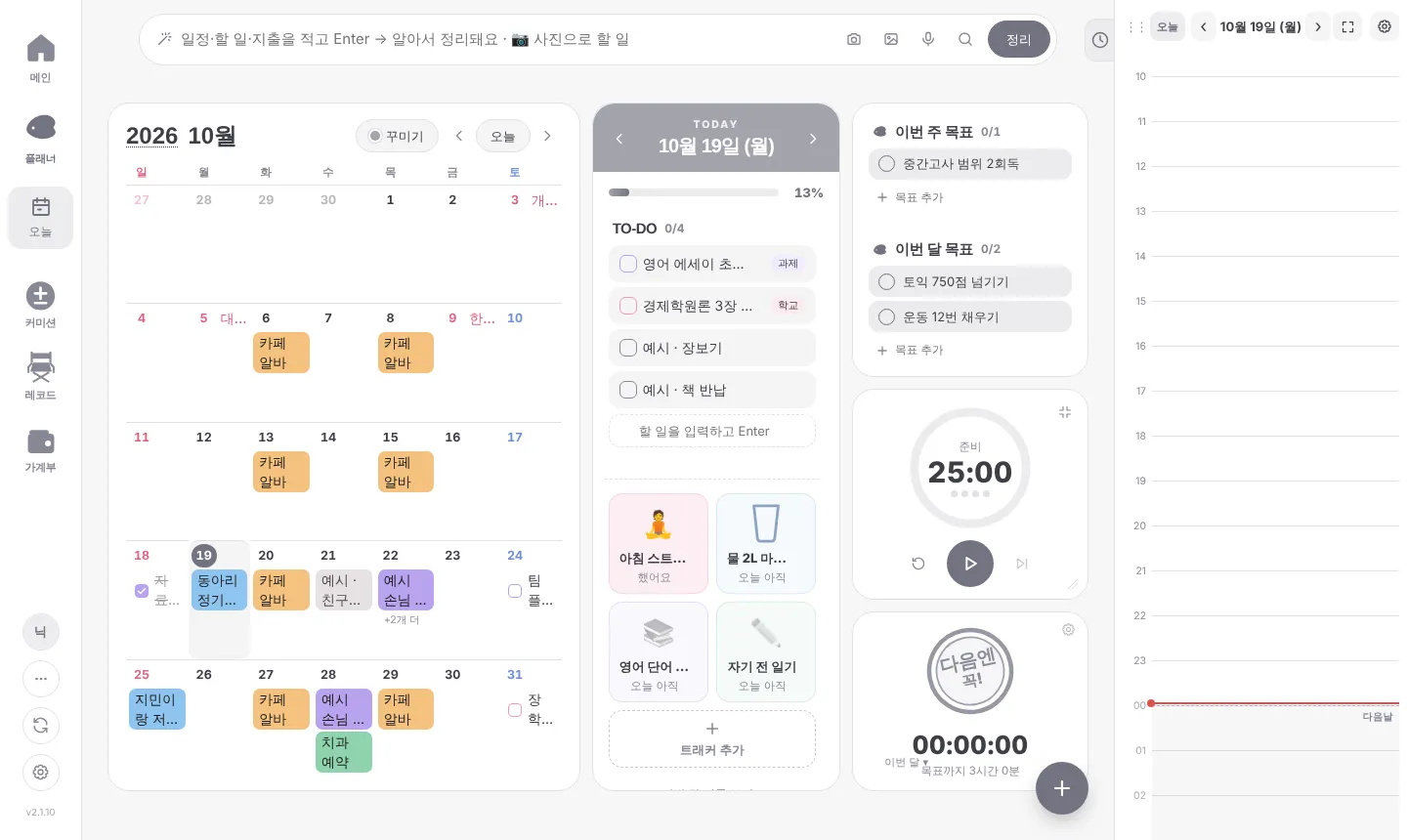
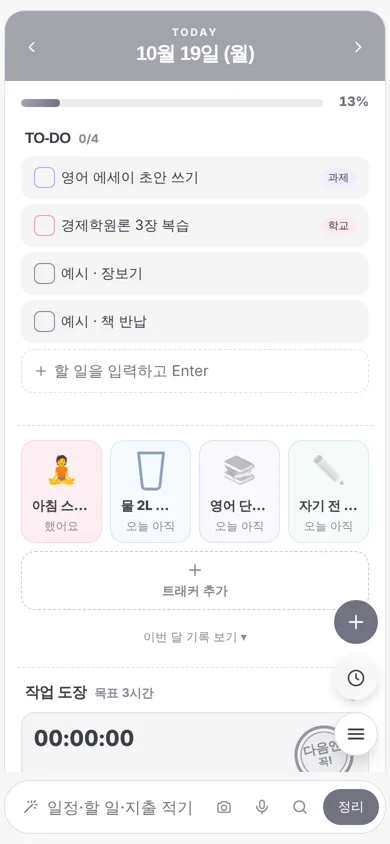
할 수 있는 것
📅 플래너
달력 · 오늘 할 일 · 습관 트래커 · 타이머, 스티커와 메모로 꾸미기
🎨 커미션
신청 접수부터 마감 · 입금 · 완성작 · 답장 템플릿까지
🎞 레코드
본 것 · 한 것을 갤러리 · 책 · 스레드로 기록
💰 가계부
수입 · 지출과 한 달 예산
🕒 구글 캘린더 · 할 일 · 드라이브
허락한 경우에만 내 구글 캘린더 일정과 구글 할 일을 앱에 보여 주고 앱에서 만든 것을 반영해요. 구글 드라이브에는 앱이 만든 Daterbase 폴더에만 내 데이터를 저장해 기기끼리 맞춰요.
🔒 내 데이터는 내 기기에
앱에 적은 내용은 내 기기, 또는 동기화를 켜면 내가 만든 Supabase 프로젝트나 내 구글 드라이브의 Daterbase 폴더에만 저장돼요. 개발자는 볼 수 없어요.
About Daterbase (English)
Daterbase is a personal productivity app that combines a decorated planner (calendar, to-dos, habit tracker, timer), commission (art request) management, a record journal (gallery, books, threads) and a budget book in one place. It runs as a web app and as a desktop app for Windows.
How Daterbase uses Google user data: Google sign-in is optional. Only after the user connects a Google account in Daterbase (web or desktop app) and grants access:
- Google Calendar (calendar scope): shows events from the calendars the user picks in the app's timetable, and creates, updates or deletes the events the user makes in Daterbase on the user's own calendar (two-way sync).
- Google Tasks (tasks scope): shows the user's Google Tasks in the app's to-do list and syncs tasks the user creates, edits, completes or deletes in Daterbase back to Google Tasks.
- Google Drive (drive.file scope): saves the user's own planner data file in a "Daterbase" folder the app creates in the user's Drive, so it syncs between the user's devices. The app can only access files it created.
Data from Google APIs moves only between the user's device and the user's Google account. It is never sent to the developer or any third party, never sold, and not used for advertising, analytics or AI training. Daterbase's use of information received from Google APIs adheres to the Google API Services User Data Policy, including the Limited Use requirements.
What you write in the app is stored only on your device, or, if you turn on sync, in a Supabase project or Google Drive folder you own. The developer cannot see it. See the Privacy Policy for the little the developer does receive (orders, anonymous usage stats, reports).